


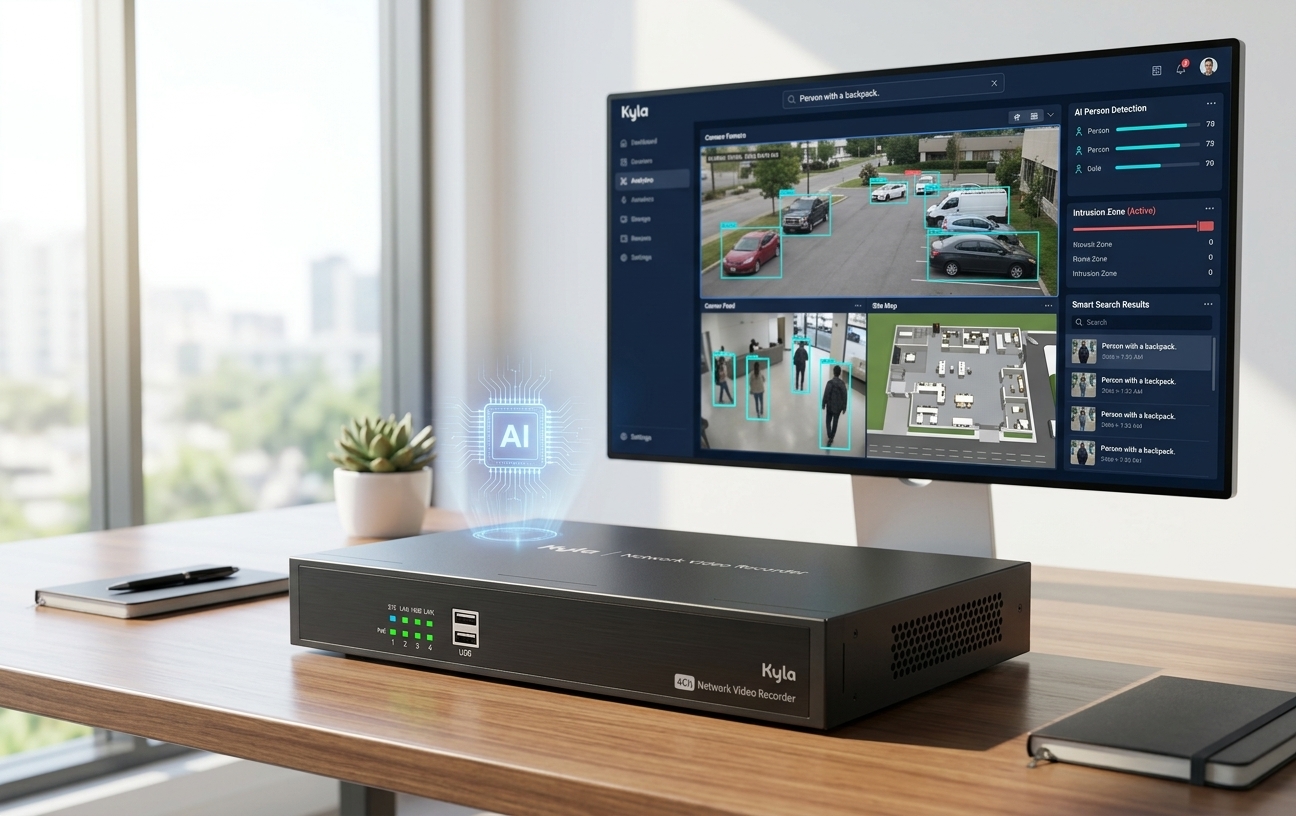
For most new business CCTV installations, an NVR (network video recorder) is the better choice: it records sharper IP-camera footage, needs fewer cables, and scales
more easily than a DVR. This guide explains the difference, what to look for in an NVR,
and how AI turns it from a recorder into a smarter security system.
What is an NVR?
An NVR (network video recorder) records footage from IP cameras over a network. It also logs events, such as motion detection and alarms, so you can jump straight to key
moments instead of scrolling through hours of video. Each camera processes its own
video and sends it to the NVR as digital data, usually over a standard Ethernet cable.
A DVR (digital video recorder) works the other way round. It connects to analogue cameras over coaxial cable and does the video processing itself.
In short, an NVR is built for modern IP cameras, while a DVR is built for older analogue systems.
NVR vs DVR: the key differences
An NVR with IP cameras wins on image quality, cabling and flexibility. A DVR mainly makes sense when you are keeping an existing analogue system.
| NVR (network video recorder) | DVR (digital video recorder) | |
|---|---|---|
| Cameras | IP cameras | Analogue cameras |
| Cabling | One Ethernet cable per camera carries video and power (PoE) | Coaxial cable for video, plus a separate power cable |
| Image quality | High definition; video is processed in the camera | Usually lower; quality can vary over long cable runs |
| Video processing | In each camera | In the recorder |
| Flexibility | Cameras can sit anywhere on the network | Cameras must be cabled directly to the recorder |
| Smart features | Supports analytics and alerts, and can add AI | Limited |
| Best for | New installations and upgrades | Keeping an existing analogue setup running |
If you are installing a new system or replacing old analogue cameras, choose an NVR.
What to look for in an NVR
A good NVR does more than store video. These features make footage easier to find and act on, and the last one is where businesses see the biggest gains.
- PoE ports. Each camera gets power and data through one network cable, so there is no need for a power point at every camera.
- H.265 video compression. Keeps footage sharp while recording more efficiently.
- Event logging and search. Jump straight to motion or alarm events instead of scrolling through hours of video.
- Remote viewing. Check live and recorded footage from your phone or browser, wherever you are.
- ONVIF compatibility. Mix and match IP cameras from different brands on one system.
- Ready for AI. The ability to add video analytics, so your system flags what matters instead of just recording it.
That last point is where an NVR goes from recording what happened to helping you respond.
An NVR records footage and logs events; AI adds the intelligence to tell you which events matter. Pairing your NVR with the Kyla by Aztech AI Box adds video analytics to
the cameras you already have, without replacing them.
Think of it as three levels of security:
- Record. The NVR stores footage, so you can review what happened.
- Find. Event logging lets you jump to the moments that matter.
- Respond. AI analytics spot activity as it happens and alert you in real time.
With AI analytics, your system can flag events such as intrusion, line crossing or people counting, and send alerts instead of leaving staff to watch hours of footage. For
businesses, that means faster response and less time reviewing recordings.
Want to see an NVR with AI in action? Contact the Kyla by Aztech team or visit our showroom at Ubi for a demo.
Frequently asked questions
Can I use an NVR with analogue cameras?
No. An NVR works with IP cameras. To
keep analogue cameras, you need a DVR or a hybrid recorder.
What does PoE mean on an NVR?
PoE (Power over Ethernet) means the NVR sends
power and data to each camera through one network cable. No separate power supply
is needed at the camera.
Can I mix camera brands on one NVR?
Often yes, if both the cameras and the NVR
support ONVIF, the open standard that lets IP cameras and recorders from different
brands work together.
Can I view my cameras remotely?
Yes. Kyla's system supports live and recorded
viewing through mobile and web apps.
Disclaimer: This article is for general information only. Features and specifications vary by model and may change without notice; please contact Kyla by Aztech for the latest
product details.